Placing Gann Lines on Stock Indices Charts in MT4
The Gann Lines is the fourth option in the Insert Menu within the MT4 Indices Trading Software. The Gann Lines Button is used to place Gann Lines on the Indices Charts & it is displayed below.
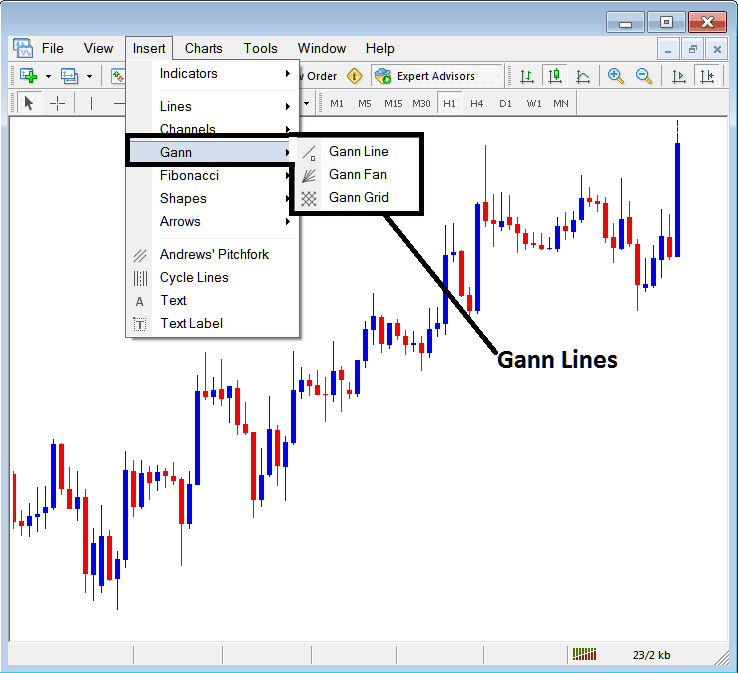
Drawing Gann Lines on MT4 Indices Candle Trading Charts
Gann Line
The Gann Line is similar to a indices trendline and to draw this indices trend line a trader must choose 2 points & draw this line between these 2 point, just like the trend-line the Gann line is also used to show the market trend.
However, Gann Line might require you to change some parameter so that to achieve the draw that you require.
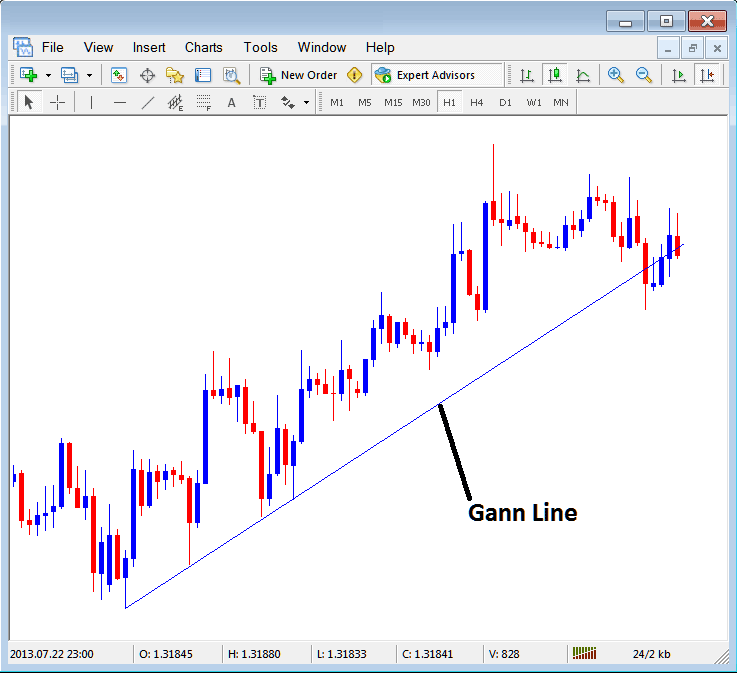
How to Draw Gann Line in MetaTrader 4
Gann Fan
The Gann Fan is drawn between two points, this indicator will draw a set of indices trendlines, these trend lines are drawn at different angles, This Fan will draw the middle line at an angle of 45 degrees as long as stock indices trading price is above this 45 degrees line then the momentum of the upward trend will continue as shown below. If stock indices trading price moves below this line in an upwards indices trend the upward trend momentum may be reducing.
The Gann Fan is also drawn for a downwards indices trend & same analysis applied to the downward direction.
Examples of Gann Fan on upwards trend:
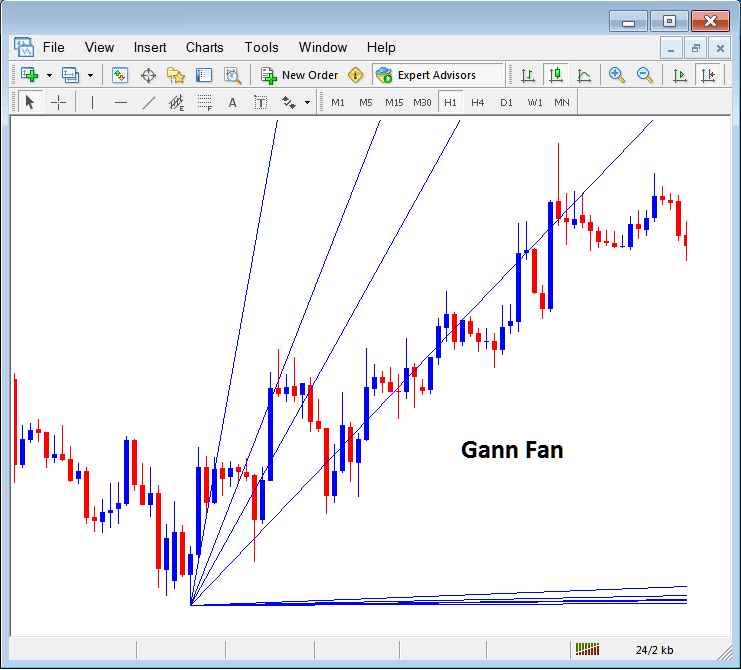
Gann Fan on MT4 Indices Candle Trading Charts
Gann Grid
The Gann grid uses two points just like a indices trendline to be drawn, once these two lines are drawn, this Grid will then draw grids that are at an angle of 45 degrees, the traders can then use these grids for analyzing stock indices trading price movement.
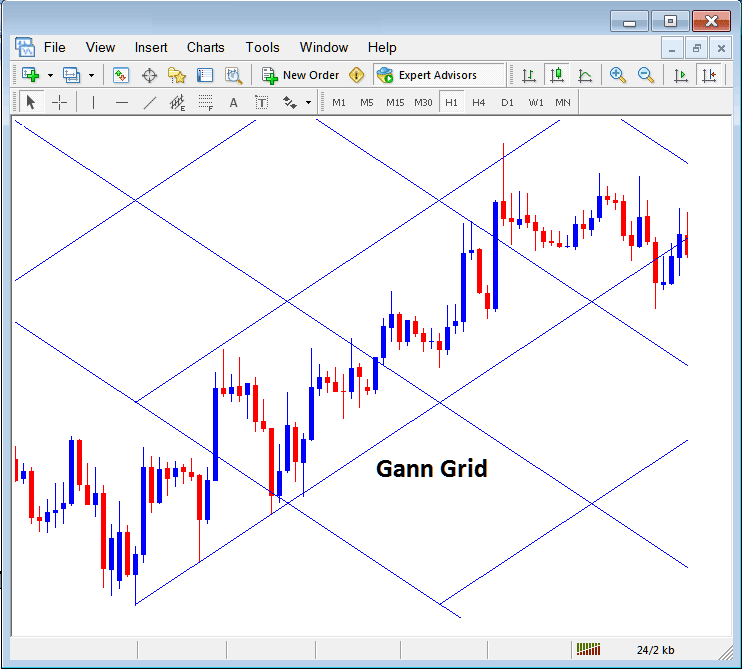
Drawing Grids on MT4 Indices Candle Trading Charts
