Insert Andrew's Pitchfork, Cycle Lines, Text & Text Label on Indices Trading Chart
The last 4 options on the MT4 indices software insert menu are:
- Andrew's Pitchfork
- Cycle Lines
- Text
- Text Label
These are shown below:
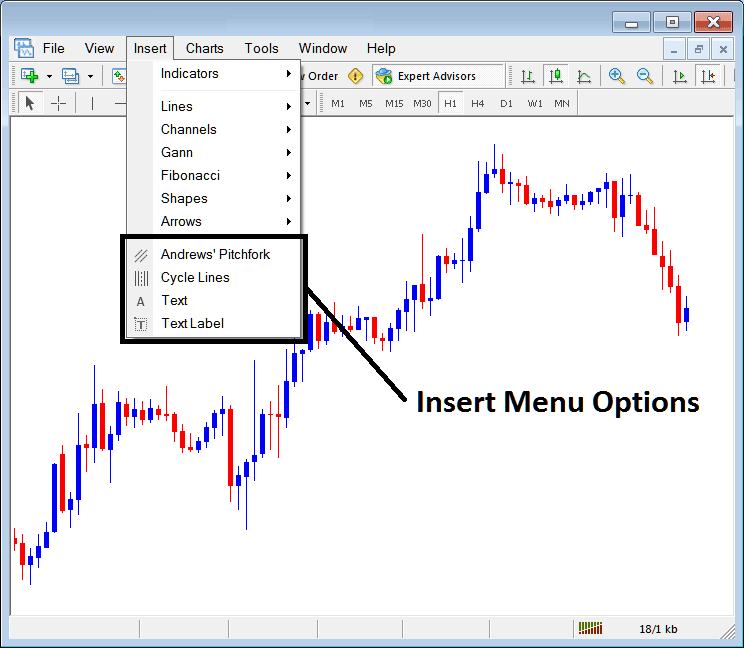
Insert Menu Options in MetaTrader 4
Andrew's Pitchfork
The Andrew's Pitchfork is drawn between three points first point is middle point of indices trading price, the next is the upper point of stock indices price and third is lower point of indices trading price. This draws 3 parallel lines that form a channel. Indices Price should indices trend within this channel, if stock indices trading price moves outside of this channel like in stock indices trading example explained below the trade should be closed.
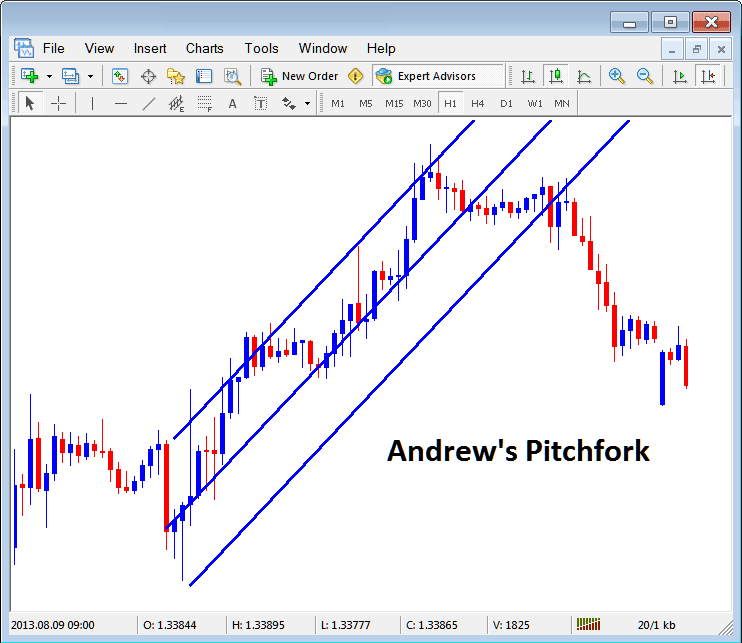
Andrew's Pitchfork in MetaTrader 4
Cycle Lines
Cycle lines are vertical lines drawn at an equal distance representing market trading cycles. To plot these lines a trader selects one continuous indices trend & draws a line between the high and low of the indices trend and then this MetaTrader 4 technical indicator automatically plots the cycle line, these lines represent market cycles.
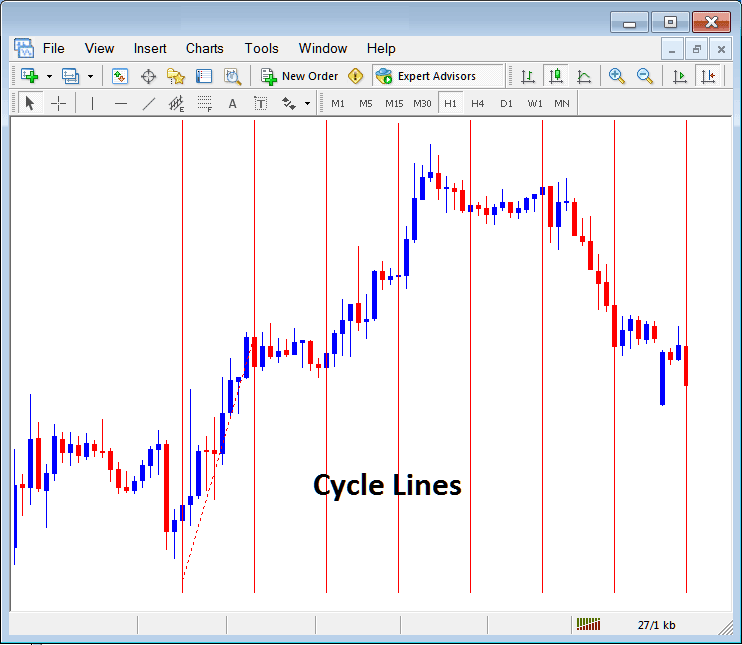
Cycle Lines MetaTrader 4 Technical Indicator
Text & Text Label
As a trader you may want to mark a indices trading price level on your stock indices chart. To do this you can use either the text or text labels, Select any of this button key, select where to place these labels after which a popup appears prompting you to put the text of the label. To edit the text label double-click on it and then this popup will appear again and edits can be made from this window.
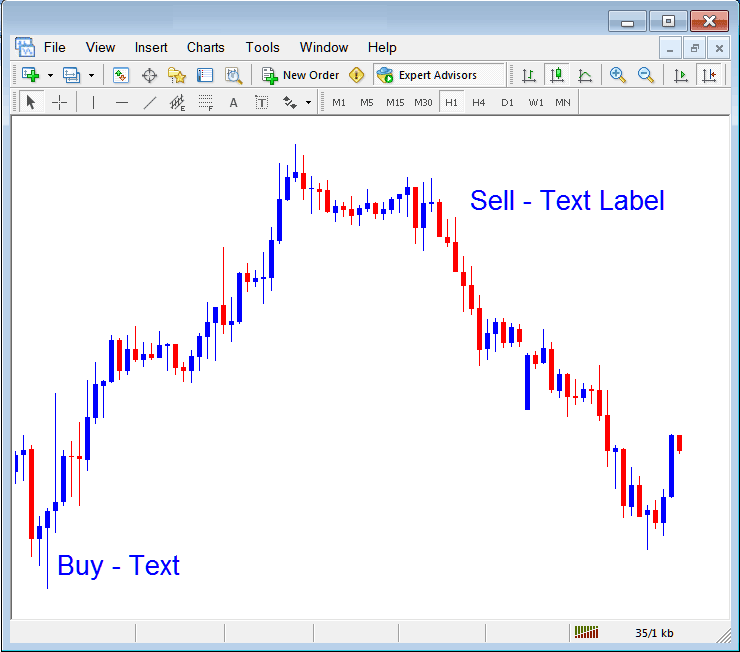
Text & Text Labels in MetaTrader 4
From the above example buy is a text and sell is a text label, both are not much different only that the text will move with the chart, while the text label is fixed at one point and won't move with the chart.
