Periodicity Toolbar Menu on Indices Trading Software
Periodicity just means chart timeframes, in MT5 this toolbar is used to select which chart timeframes to trade with.
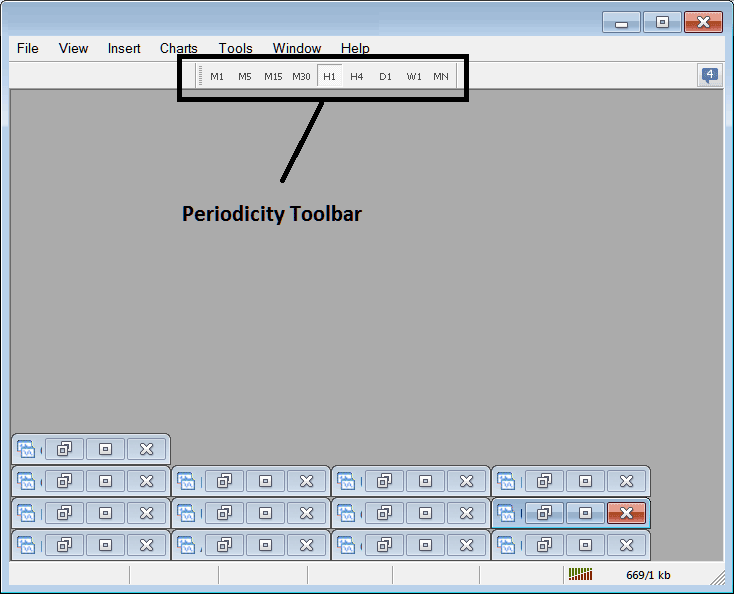
The time frames listed are:
- 1 Min - M1
- 5 Minute - M5
- 15 Min - M15
- 30 Min - M30
- 1 H - H1
- 4 Hours - H4
- Daily - D1
- Weekly - W1
- Monthly - MN
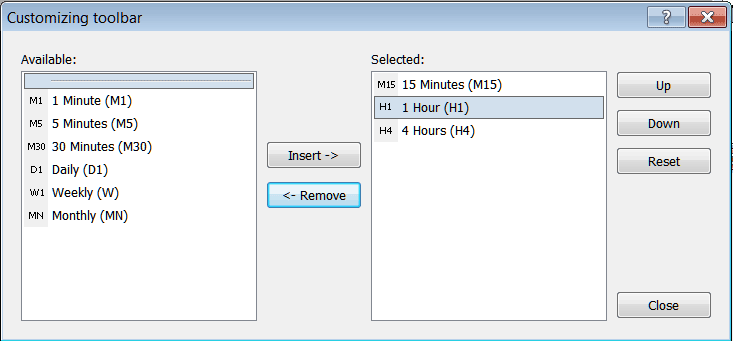
As a trader you only require to trade with only about Three chart time-frames, for examples let's say a trader only requires the 15 minute, the 1 hour and the 4 hours time frame, then on the periodicity MT5 toolbar a trader can hide all the others which are not required using the following method.
How to Customize
To add a tool that is not listed above a trader has to follow these steps
- Right Click at the MT5 toolbar button key to the left (Looks like a stack of coins), displayed below
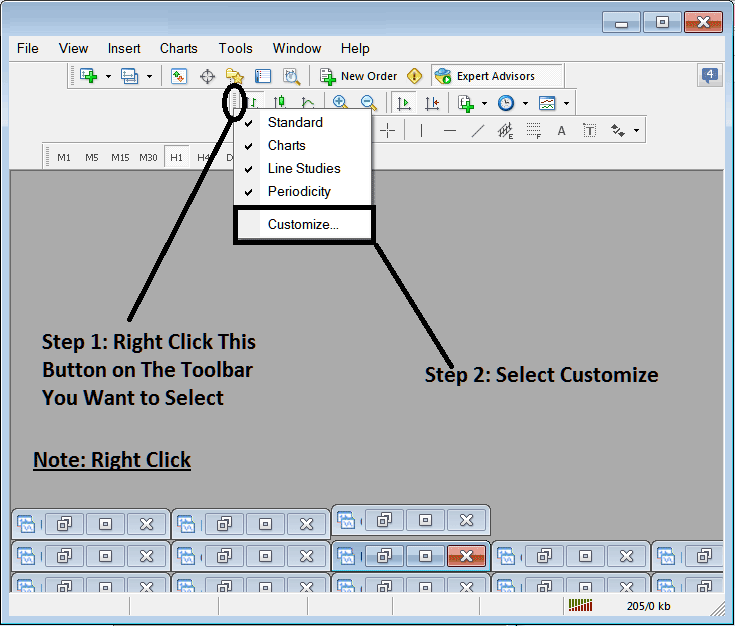
2. Click customize
After following the above steps the customize window pop up will appear as illustrated & shown below:
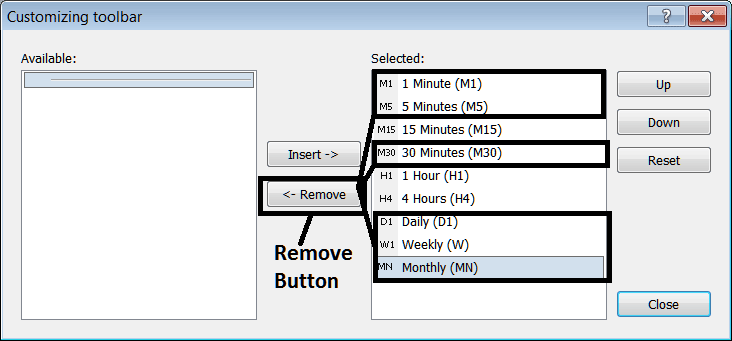
Select as displayed above & click remove button.
The window pop up will then look like:
On the platform the periodicity MetaTrader 5 toolbar will now look like the examples shown below:
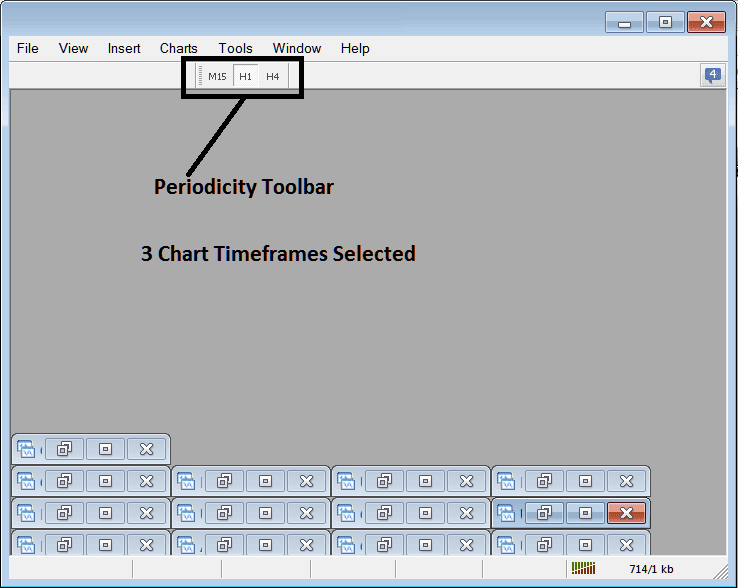
Using the above setup as a trader you can save space within your MT5 Indices Trading Platform work space by hiding the timeframes which you're not trading with.
