Placing Fibonacci Lines on MT4
The fifth option on the MetaTrader 4 software insert menu is Fib Lines. Fibonacci Lines Button has the following sub-menu buttons shown below:
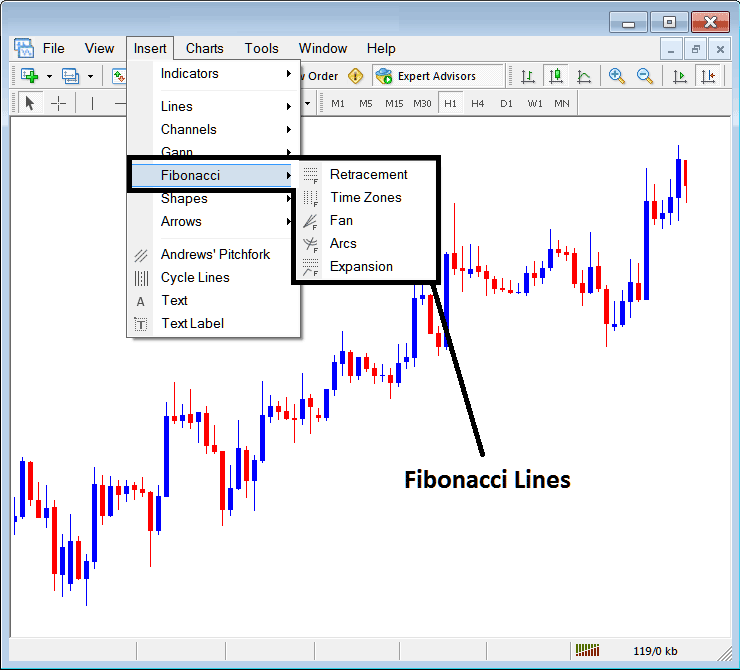
Fibonacci Stock Indices in MetaTrader 4
Fibonacci Lines
- Indices Trading Fib Retracement
- Stock Indices Trading Fib Time Zones
- Indices Trading Fib Fan
- Indices Trading Fib Arcs
- Indices Trading Fib Expansion
Indices Trading Fib Retracement
The Fibo retracement can be placed on a Indices chart from the Fibonacci retracement button. Fibo retracement is used to estimate where a indices price retracement is likely to reach. The Fibo retracement levels are drawn as illustrated and shown below. To learn how to draw & use Fibonacci Retracement Levels read the tutorial: How to draw Fibonacci Retracement Levels:
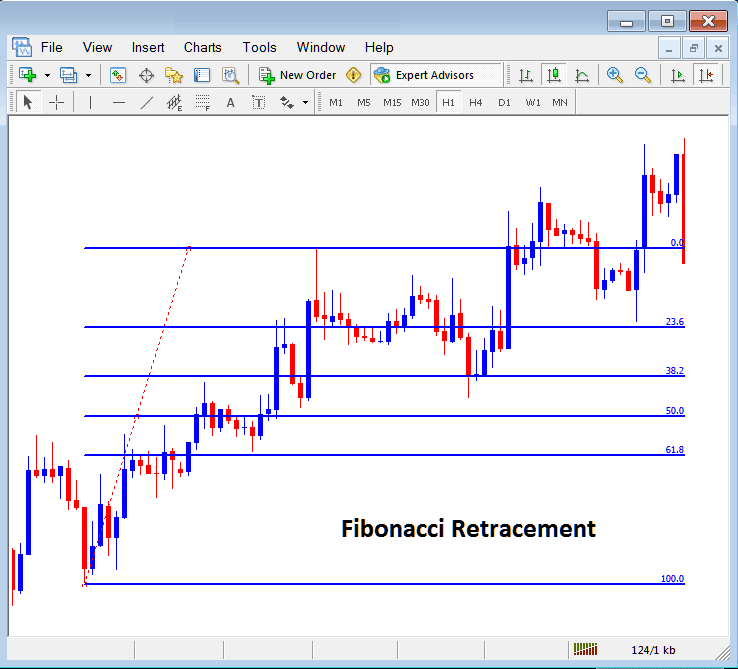
Fibonacci Retracement Levels Drawn on a Indices Chart on the MT4 Platform
Indices Trading Fibonacci Time Zones
The Fibo time zones are Fibo lines drawn at different Fibo timelines, these Fibo time zones are calculated using Fibo points 1, 2, 3, 5, 8, 13, 21, 34. The Fibo areas are 1+2=3, 2+3=5, 3+5=8, first number add to the next, next added to the second & so on.
The Fibonacci time zones are shown below, at these time lines stock indices price changes are likely to occur based on technical analysis of Fibonacci time zones:
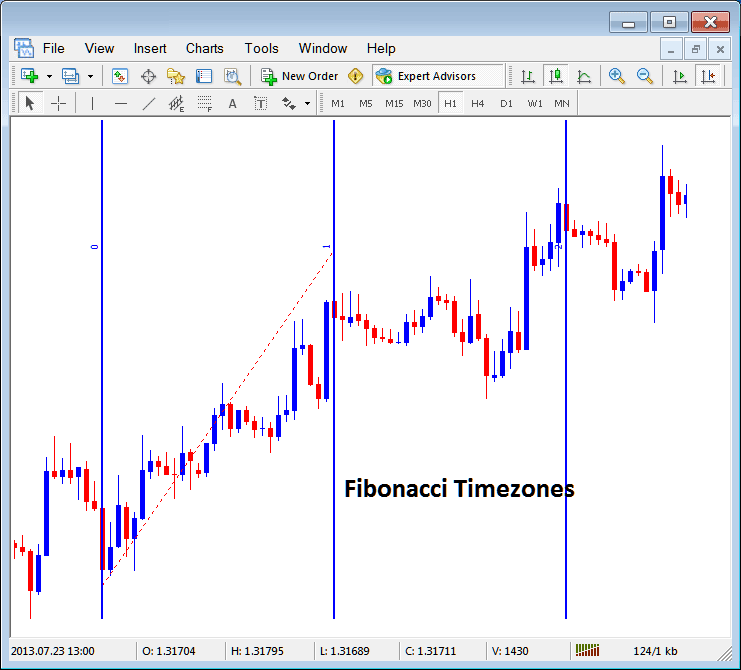
Fibonacci Time Zones in MT4
Stock Indices Trading Fibonacci Fan
The Fib fan is drawn between two chart points & then three additional lines below the indices trend are drawn as the fans, these are 38.2%, 50.00% and 61.80% Fibonacci retracement levels. Stock indices price is likely to bounce & continue in the original direction after stock indices price retraces to any of these fan lines.
The Fibo Fan Lines are drawn as illustrated and shown below:
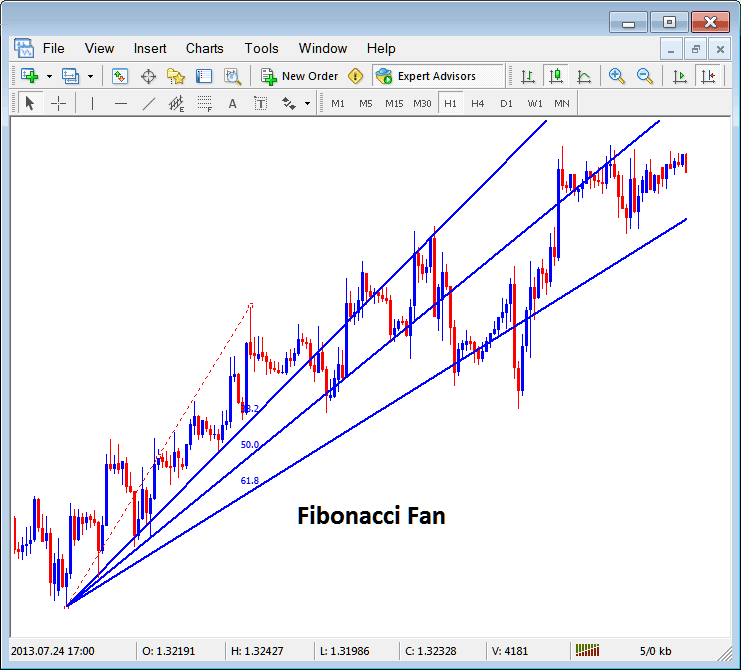
Fibo Fans on MT4
Stock Indices Trading Fibonacci Arcs
Fibonacci arcs are drawn using two chart points, the arcs are then drawn as illustrated & shown below & these arcs represent 38.2%, 50.0% and 61.8% Fibo retracement levels.
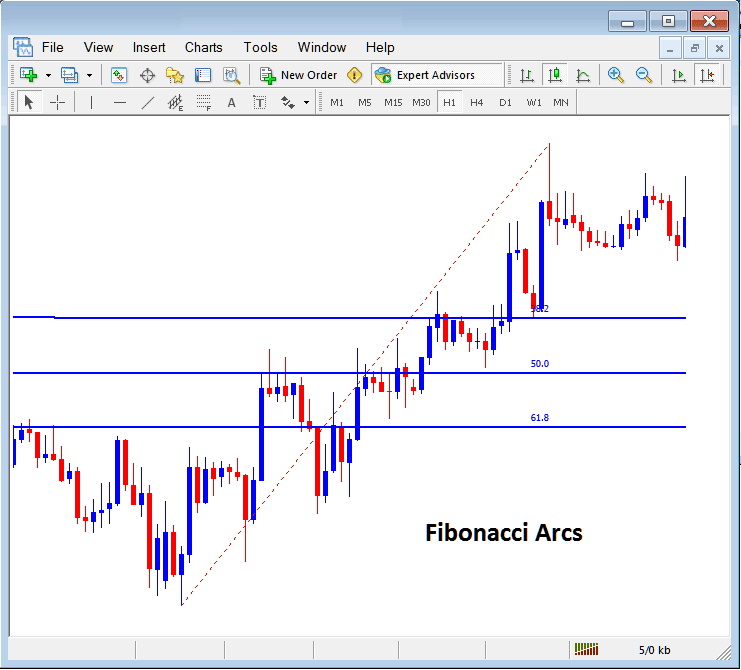
Fibonacci Arcs Representing Fibonacci Retracement Zones on a Indices Chart
Stock Indices Trading Fibonacci Expansion
The Fibo expansion is used to determine most probable level at which traders should set their take profit levels based on Fibo expansion level 61.8% & 100.0% expansion levels. The Fibo expansion levels are also referred to as Fibonacci Extension Levels or Fibonacci Projection Levels by some traders & these Fibonacci Extension areas are plotted as shown below. Tutorial: How to Draw Fibonacci Expansion Levels:
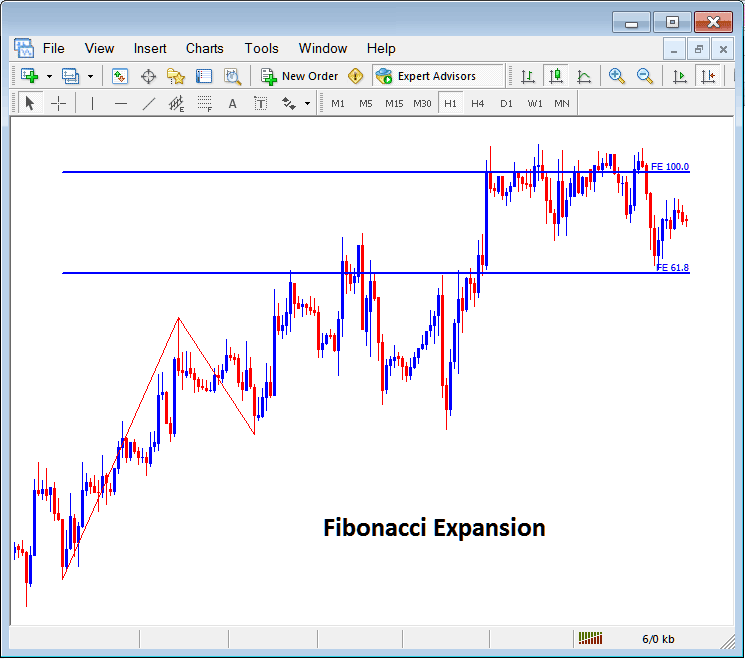
How to draw Fibo Lines and other Fibo studies like Fibonacci Expansion and Retracement in MetaTrader 4
