How Do I Use Indices Trading Sell Stop Order in MT4?
How Do You Trade Indices and Use Indices Sell Stop Order on MT4?
Sell Stop Stock Indices Orders in MT4 Software
How Do You Use Indices Trading Sell Stop Trading Order in MetaTrader 4?
Setting Sell Stop Indices Orders on MetaTrader 4 Platform
- Open a Indices Stock Indices Trading Chart
- Right-Click on Chart to open the Trade "Order" Window
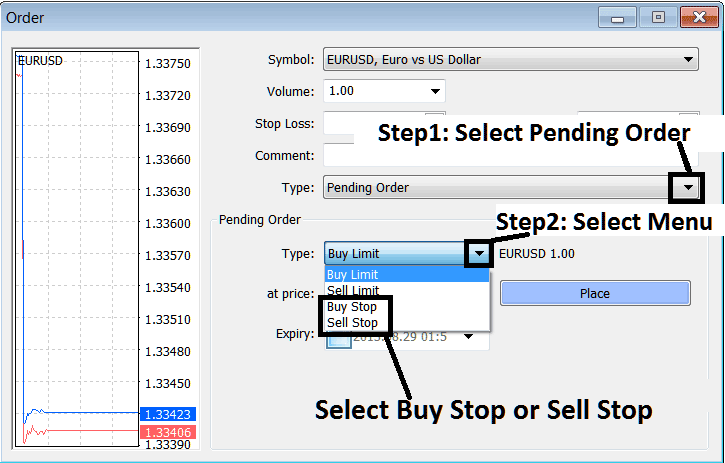
- On the Trade Order Panel, Choose Pending Indices Order as shown below
- Choose Pending order Type as Sell Stop Indices Order as Show below
- After selecting Sell Stop Stock Indices Order - Click "Place" Order & specify the sell stop stock indices price level where the order will be opened
How Do You Use Indices Trading Sell Stop Order on MetaTrader 4
